

mybb Support
Connecting PayPal
Last updated on July 10, 2026
- Navigate to the Window icon in the top right corner of your dashboard.
- Select Update School Settings.
- Scroll down to Financial Settings (Image 1).
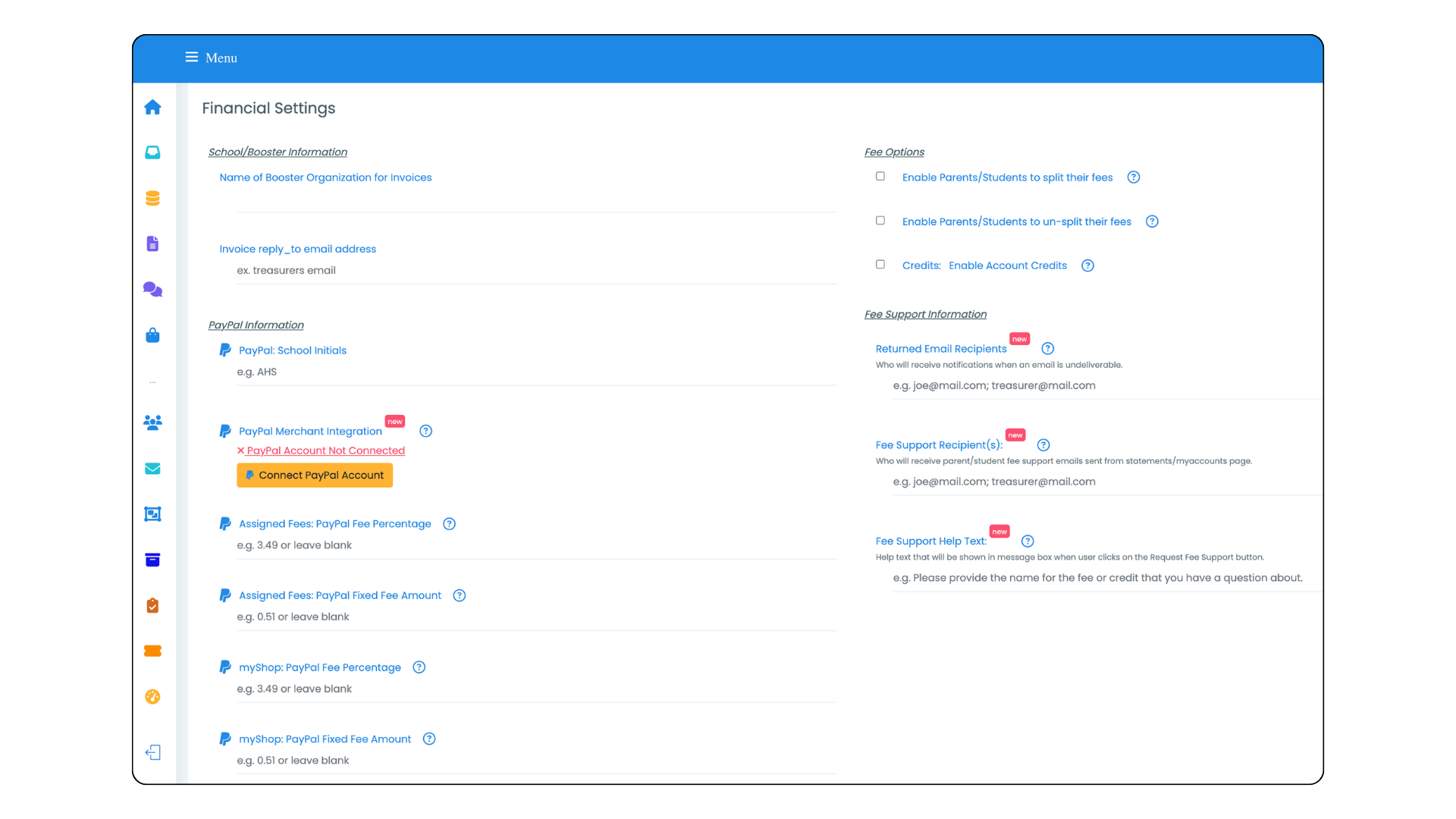
- Enter your school's initials in the PayPal School Initials field.
- In the Paypal Merchant Integration section, select the Connect PayPal Account button. This will take you to PayPal, where you will be prompted to connect your account. You will need a verified PayPal Business Account.
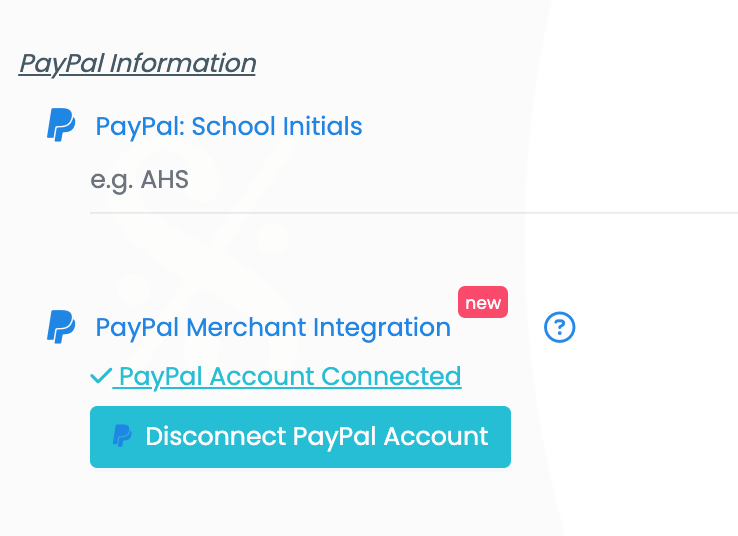
- When your PayPal account has been successfully connected to myblueboard, you will see a PayPal Account Connected banner and a button that will allow you to Disconnect your PayPal account from myblueboard (Image 2).
Entering your Financial Settings Information
Assigned Fees / PayPal Fee Percentage and Assigned Fees / PayPal Fixed Fee Amount
- When collecting fees online through myblueboard, PayPal charges a transaction fee of 1.9%–3.5% plus a fixed fee of 5–49 cents for each sale. You can offset the percentage fee by entering a percent value that will be added to the student/parent's purchase in the Assigned Fees/PayPal Fee Percentage Field..
i.e. If the purchase amount is $100 and you have entered 3.00% transaction fee, $3 will be added to the transaction amount.
- If you would prefer to add a fixed fee amount to each transaction, you can leave the Assigned Fees/PayPal Fee Percentage field at zero and ever a fixed fee amount in the Assigned Fees/PayPal Fixed Fees Amount field.
i.e. If you have entered 0.50 fixed fee amount, $ 0.50 will be added to the transaction amount.
Go to https://www.paypal.com/us/webapps/mpp/merchant-fees for more information.
myShop: PayPal Fee Percentage and myShop: PayPal Fixed Amount
- When you sell items in myShop, PayPal charges a transaction fee of 1.9%–3.5% plus a fixed fee of 5–49 cents for each sale. You can offset the percentage fee by entering a percent value that will be added to the student/parent's purchase in the Assigned Fees/PayPal Fee Percentage Field..
i.e. If the purchase amount is $100 and you have entered 3.00% transaction fee, $3 will be added to the transaction amount.
- If you would prefer to add a fixed fee amount to each transaction, you can leave the Assigned Fees/PayPal Fee Percentage field at zero and ever a fixed fee amount in the Assigned Fees/PayPal Fixed Fees Amount field.
i.e. If you have entered 0.50 fixed fee amount, $ 0.50 will be added to the transaction amount.
Go to https://www.paypal.com/us/webapps/mpp/merchant-fees for more information.