

mybb Support
Accepting cash or check fee payments
Last updated on January 22, 2026
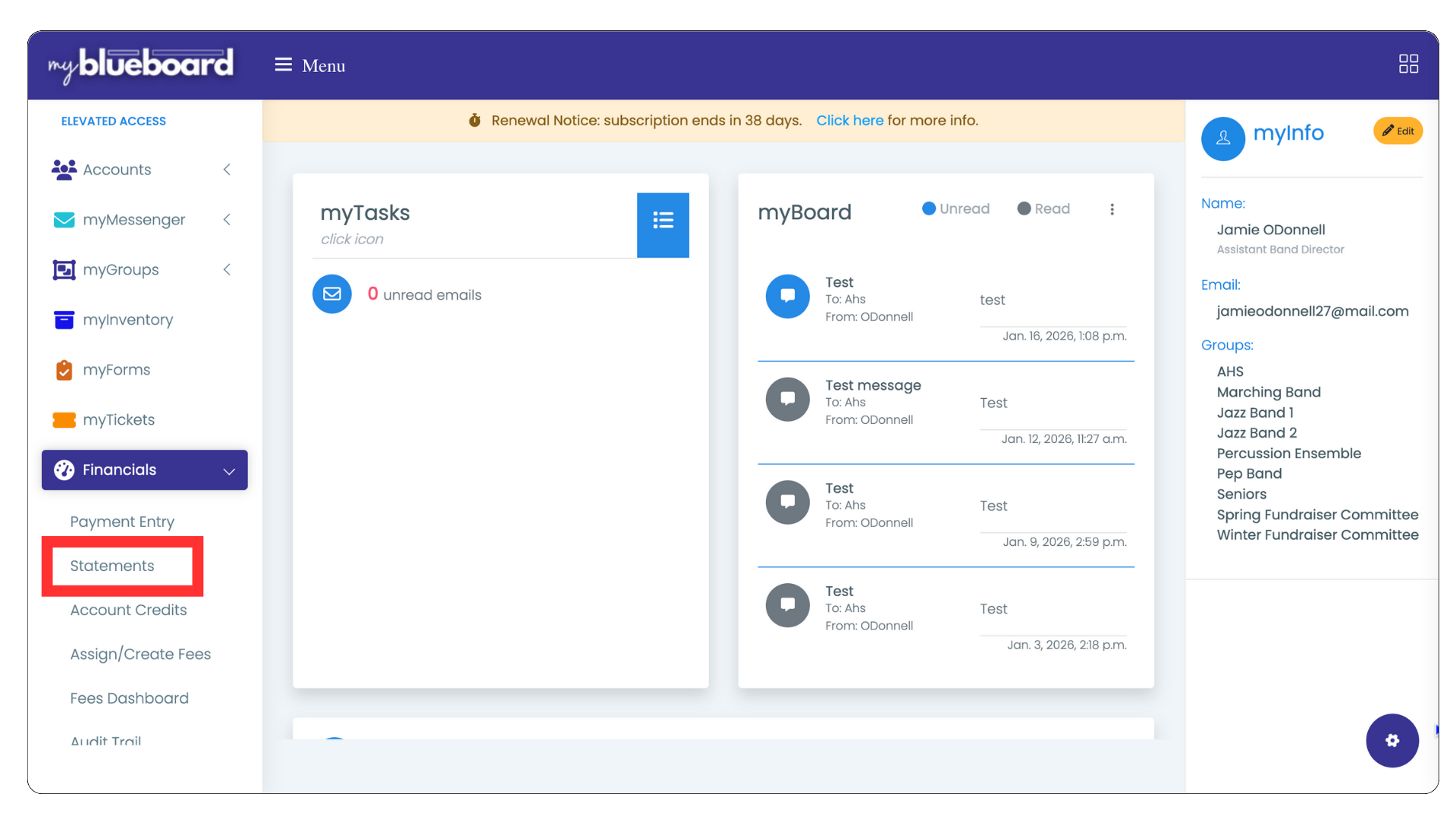
- Select Financials from the left sidebar.
- Select Statements (Image 1).
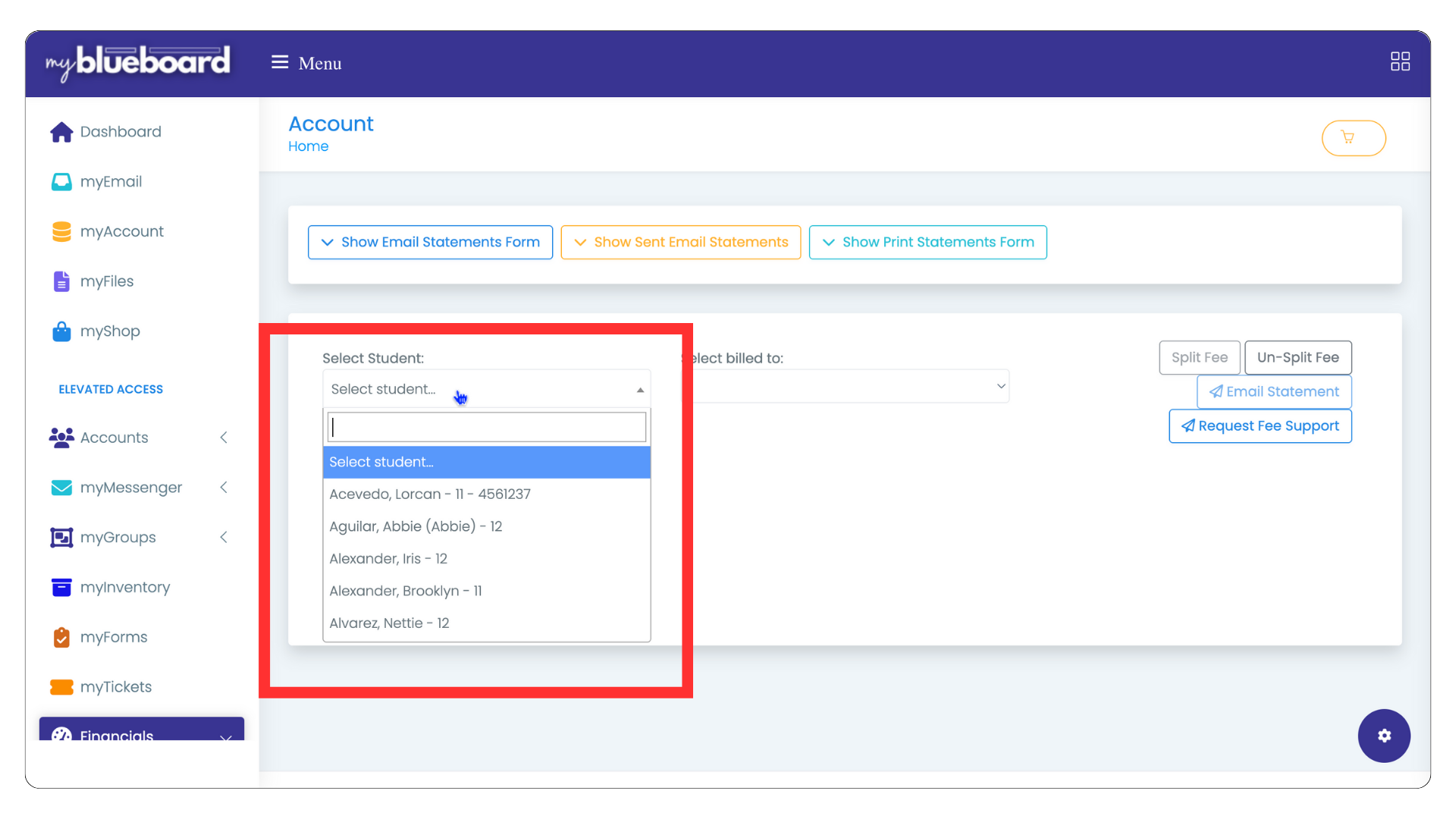
- Search or scroll to find and select the student name. (Image 2).
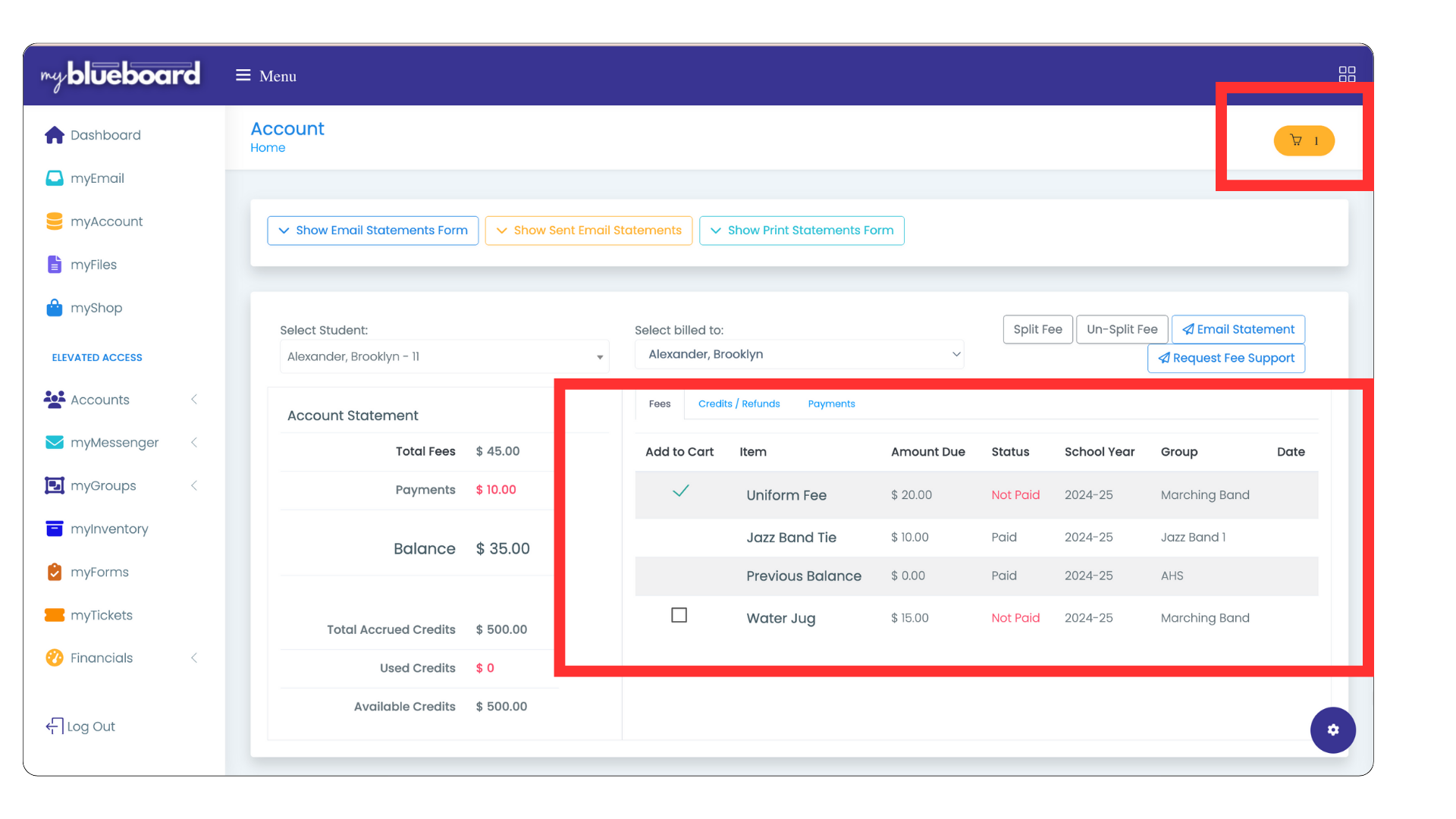
- The student statement will populate and list all assigned fees to the student account.
- Select the fee you wish to accept payment for. This will add it to the cart (Image 3).
- Select the cart icon.
- The invoice will populate. You can print or save.
- Select Proceed to Payment.
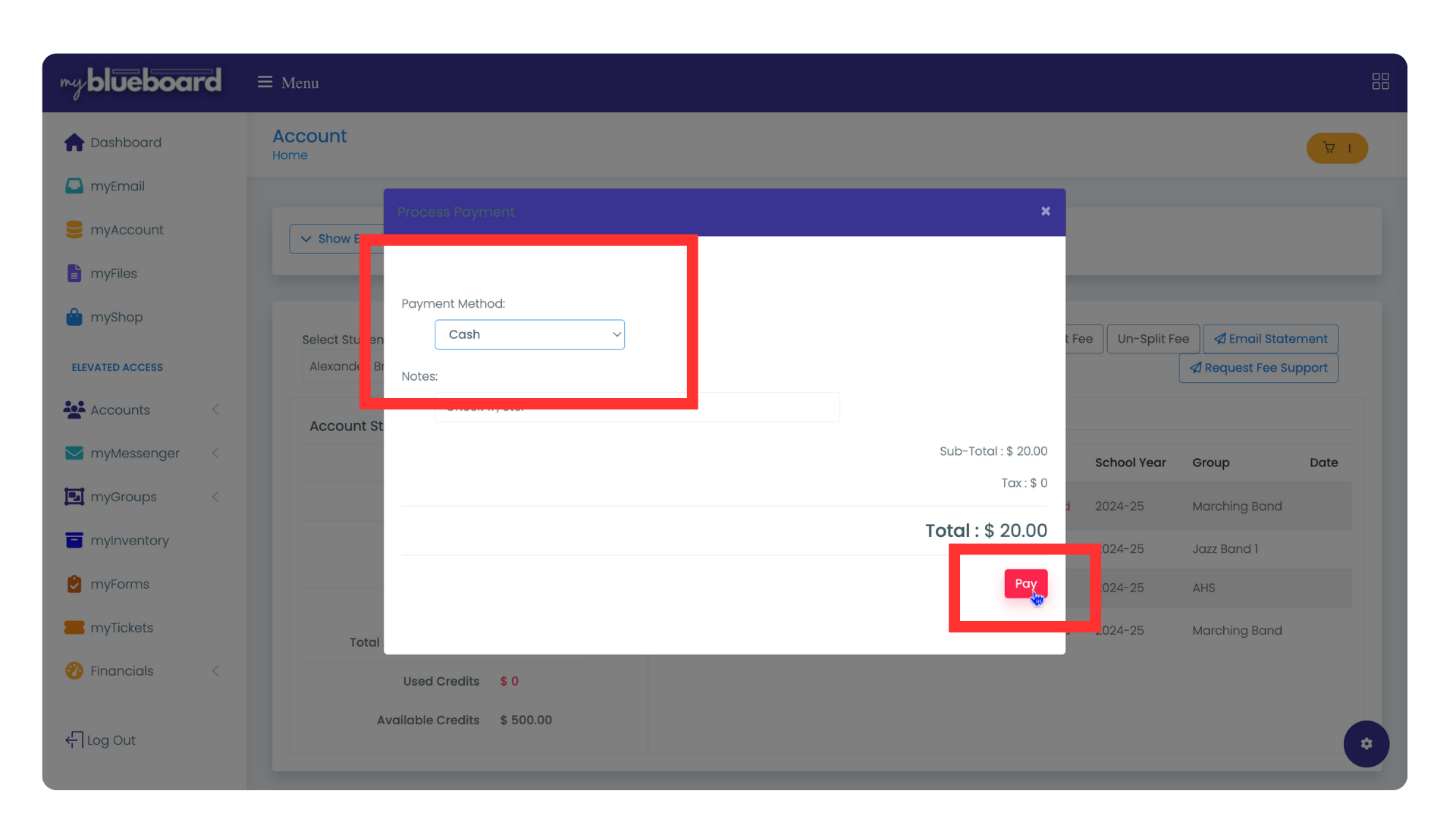
- Select the payment type from the dropdown: Cash or Check (you will be prompted to enter an optional check number), and select Pay (Image 4).